Machinery-space walkthroughs
Configured for instructor-led scenarios, repeatable assessment and post-exercise debriefing.
A VR engine room simulator for machinery-space familiarization, inspection routes, safety procedures, emergency response and repeatable practical training.
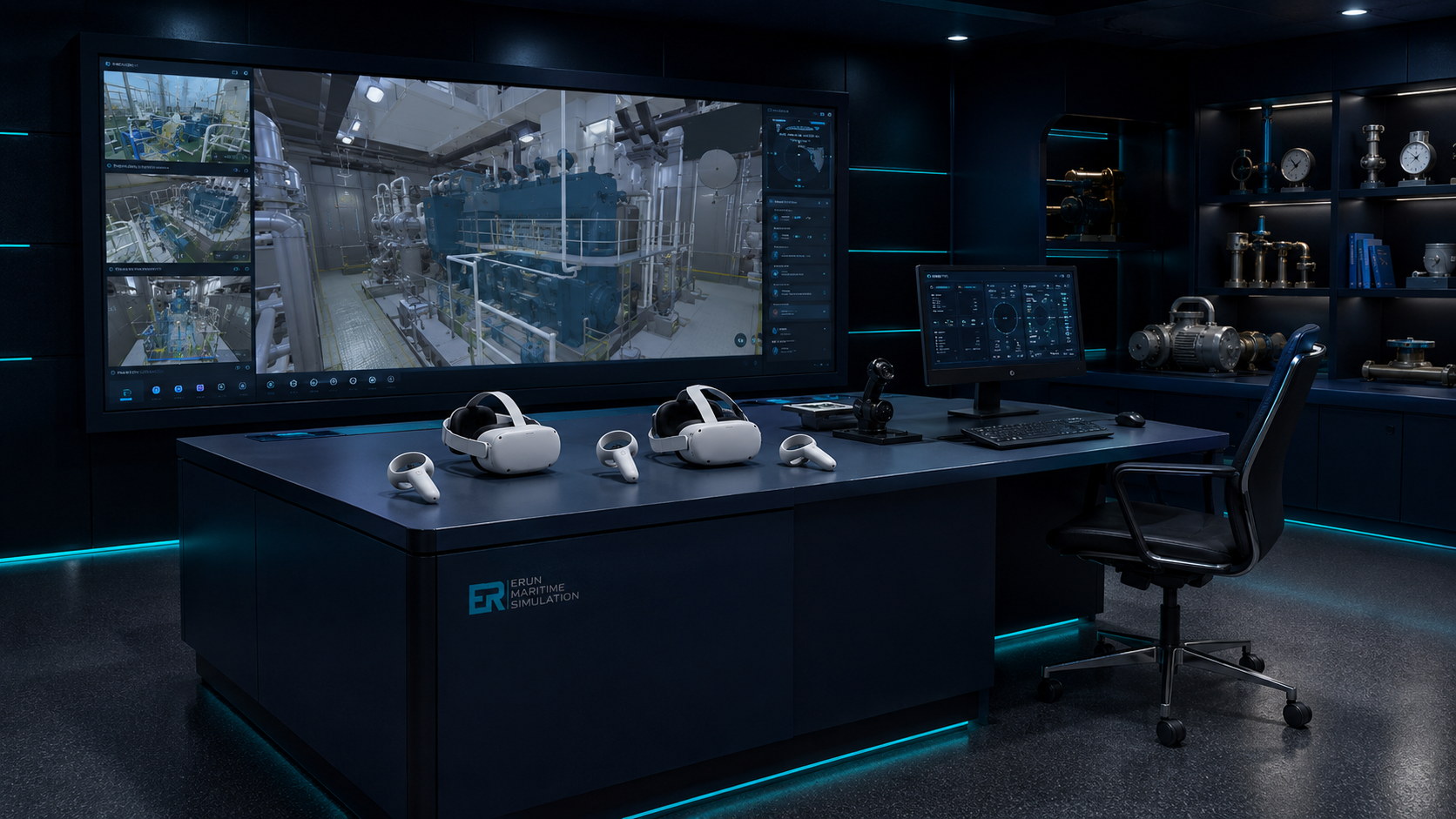
VR Engine Room Simulator concept layout for curriculum planning, simulator-room discussion and training workflow design.
Operational realism
A VR engine room simulator for machinery-space familiarization, inspection routes, safety procedures, emergency response and repeatable practical training.
Core capabilities
Configured for instructor-led scenarios, repeatable assessment and post-exercise debriefing.
Configured for instructor-led scenarios, repeatable assessment and post-exercise debriefing.
Configured for instructor-led scenarios, repeatable assessment and post-exercise debriefing.
Configured for instructor-led scenarios, repeatable assessment and post-exercise debriefing.
Training workflow
Each ERUN simulator can be configured around instructor preparation, trainee execution, live monitoring and post-exercise review. The same page structure helps decision makers compare systems quickly while preserving product-specific training value.
Scalable configurations
Frequently asked questions
Yes. The system scope, scenarios, stations, instructor tools and assessment outputs can be aligned with your training programme and facility plan.
Compatible ERUN bridge, engine room, VTS, communication and mission simulators can be integrated for team and multi-role exercises.
Useful inputs include target learners, vessel or operation type, number of stations, room size, required fidelity, standards and implementation timeline.
VR Engine Room Simulator concept layout for curriculum planning, simulator-room discussion and training workflow design.
Immersive engineering
VR training helps learners understand layout, equipment relationships and procedure sequences. ERUN can combine immersive scenes with instructor tasks and conventional engine room simulation.
Core capabilities
Practise machinery-space walkthroughs with instructor-controlled scenarios, repeatable exercises and clear debriefing records.
Practise inspection and checklist tasks with instructor-controlled scenarios, repeatable exercises and clear debriefing records.
Practise emergency response procedures with instructor-controlled scenarios, repeatable exercises and clear debriefing records.
Practise equipment identification with instructor-controlled scenarios, repeatable exercises and clear debriefing records.
Tell ERUN about your training goals, facility and timeline.